> ## Documentation Index
> Fetch the complete documentation index at: https://docs.structify.ai/llms.txt
> Use this file to discover all available pages before exploring further.
# Welcome to Structify
> Your data, your way, your timeline
## What is Structify?
Structify is a suite of AI-powered data tools, that make connecting silo'd data sources, running complex queries, turning websites and PDFs into datasets as easy as prompting with everday language. Structify makes connecting all these data sources a breeze, and then enables you to transform, enrich, and visualize anywhere in your data flow, with only naturl language.
## Key Features
### AI-Powered Web Structuring and Scraping
Structify offers state-of-the-art real time web extraction. This means that if you have a website filled with data, scraping it is as easy as giving us the link and telling us the data you want. In a similar way, if your data is more unstructured (think: news article), and spread across the web, Structify makes it easy to pull in that information, and turn it into a structured dataset.
### AI-Powered PDF Structuring and Extraction
Have structured or unstructured data buried in PDFs across your business? Structify makes getting that data integrated a breeze, once again with a state-of-the-art AI toolkit for extraction. Just upload your PDF, tell us what data you want, and optionally provide more context on where in the PDF it is, and what the data means.
### Flexible Schema Management
Unlike traditional data dictionaries or data mapping techniques, Structify let's you design custom schemas for your datasets, allowing you to define the definitions of your columns through prompting, and handles the mapping for you.
### One-Click Connections
Structify allows you to connect and read in a variety of sources, powered by codegen. For instance, with one click and authentication details, wire up your Hubspot. With another click, bring in your internal product usage data, and with one more click, read in Stripe. Need data from a pesky API? That's a connector too :).
Finally, you can connect to your business's internal data, be that in Snowflake, Postgres, a local server's MSSQL instance, or anywhere else you might keep it.
### Codegen Data Pipelines
With a single prompt, Structify enables the building of 'data pipelines' which you can think of as any process that takes in data, acts on it (transforms, queries, visualizes, enriches...), and then puts it somewhere else (new database, back into the original database, CSV export, your CRM...) Thanks to Structify's software, your data isn't being trusted to vibes; instead, you have visibility in every step of the process so you get your data, your way, on your timeline.
## Use Cases
Extract company information, relationships, and key metrics from reports, websites, and even the SEC EDGAR API
Extract structured data from scientific papers, patents, and research documents
Automate extraction of policy documents for compliance and risk assessment
Structure news articles, blogs, and media content into queryable and visualizable data
Extract parties, obligations, and terms from contracts and legal filings
Structure patient records, clinical trials, and medical research
## How It Works
Upload documents (PDFs, Excel, Word), provide URLs, connect to your data sources, or all three.
Using everyday business language, explain your use case and what you want from the data
Our AI models understand your use case, and write repeatable code to get it done. Feel free to go grab some coffee at this step.
Once your data pipeline is done, explore your data via searching, add new nodes for transformation, schedule the workflow if you want it done on a time or trigger basis, and export if you need to.
## Quick Example
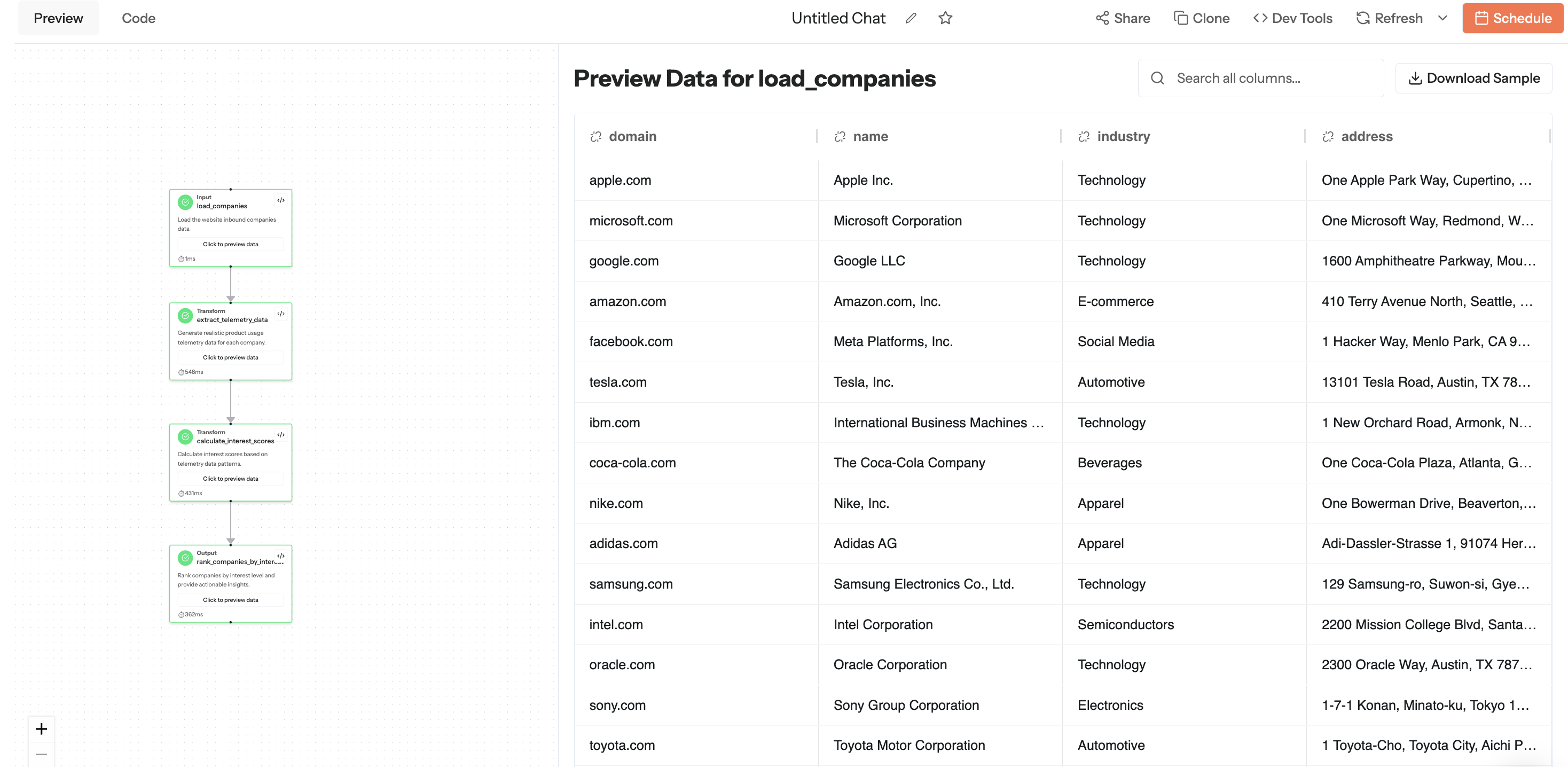
This prompt with attached csv
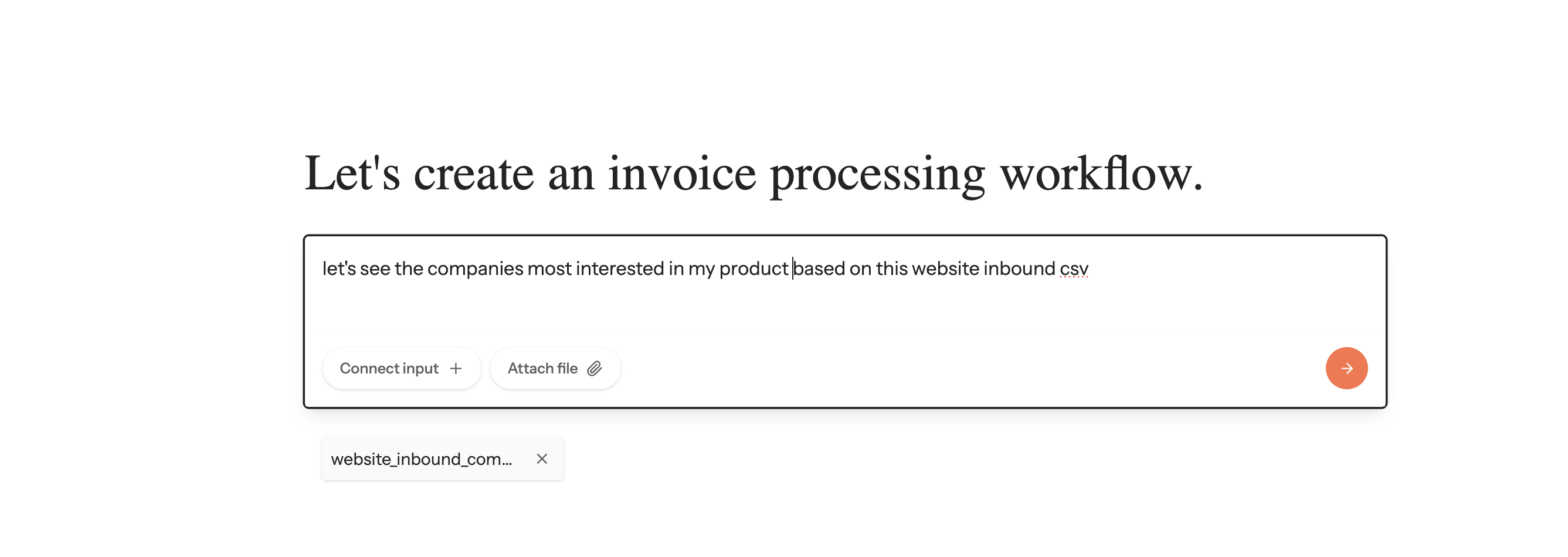 Leads to this wonderful workflow and data :)
 ## Getting Started
Sign up for an account and start your data journey
Follow our step-by-step guide
## Getting Started
Sign up for an account and start your data journey
Follow our step-by-step guide