> ## Documentation Index
> Fetch the complete documentation index at: https://docs.structify.ai/llms.txt
> Use this file to discover all available pages before exploring further.
# App Navigation
> Details of where to find different options and features in a chat session
## Dev Tools
The 'Dev Tools' button gives a lot under-the-hood information for users who are more technical! Non-technical users can get some useful info out of it as well!
 ### Sandbox Info
The sandbox information let's you check a few things such as: CPU and memory usage, and sandbox life.
### Sandbox Info
The sandbox information let's you check a few things such as: CPU and memory usage, and sandbox life.
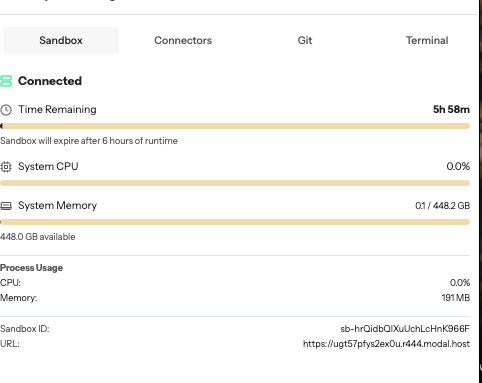 If you're running into weird issues, check to make sure you have a sandbox! If you don't, refresh your page!
### Terminal
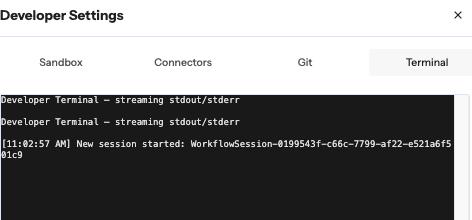
The terminal lets you see output from your code
If you're running into weird issues, check to make sure you have a sandbox! If you don't, refresh your page!
### Terminal
The terminal lets you see output from your code
 ### Connectors
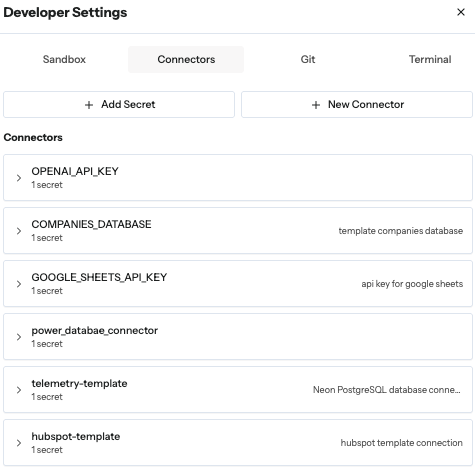
In addition to being able to access your connectors from the left-hand sidebar, you can have a quick and easy view of them here, to edit and add as necessary!
### Connectors
In addition to being able to access your connectors from the left-hand sidebar, you can have a quick and easy view of them here, to edit and add as necessary!
 ## Assistant Messaging
Press where indicated in the image to expand the chat, to see the agent's reasoning and thinking, so you can adjust your prompts accordingly!
## Assistant Messaging
Press where indicated in the image to expand the chat, to see the agent's reasoning and thinking, so you can adjust your prompts accordingly!
 Use CMD + 'K' (or CTRL + 'K') to hide the chatbox when you don't need it!
## Schedule
The schedule button allows you to have flows run on time-based intervals. For instance, maybe you have something you want to run hourly, daily, or weekly: the 'Schedule' button is where you make that happen!
Use CMD + 'K' (or CTRL + 'K') to hide the chatbox when you don't need it!
## Schedule
The schedule button allows you to have flows run on time-based intervals. For instance, maybe you have something you want to run hourly, daily, or weekly: the 'Schedule' button is where you make that happen!
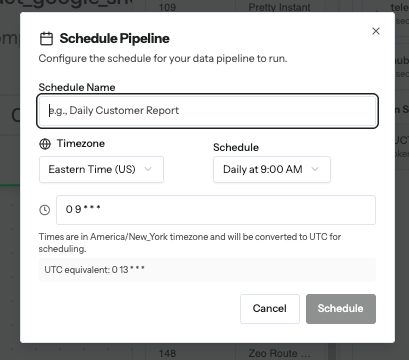 If you want a trigger based Scheduling (something that detects upload or deletion of file somewhere, for instance) reach out to the Structify team!
## Share
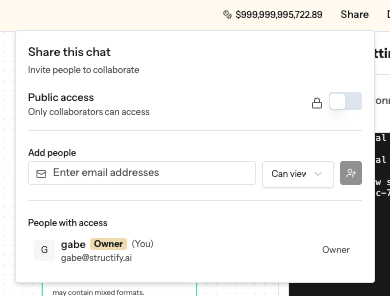
The share button allows you to do two cool things:
1. You can share pipelines personally with people, with either 'Edit' privileges, or just 'View' privileges. Simply share it with their account, and they'll see it in their chats!
2. You can make a pipeline publicly viewable as well, to anyone with the link!
If you want a trigger based Scheduling (something that detects upload or deletion of file somewhere, for instance) reach out to the Structify team!
## Share
The share button allows you to do two cool things:
1. You can share pipelines personally with people, with either 'Edit' privileges, or just 'View' privileges. Simply share it with their account, and they'll see it in their chats!
2. You can make a pipeline publicly viewable as well, to anyone with the link!